E-commerce and retail
Customers ask you before they buy
Size, colour, stock, delivery time — customers ask before they buy. An unanswered question is an unplaced order. HeppChat answers those questions from your catalogue, and hands over to your team when it can't.
Sound familiar?
Evening messages wait until morning
A question that arrives after closing gets answered the next day — by then the customer has bought elsewhere.
The same questions repeat throughout the day
“Do you have my size”, “how fast is delivery”, “how do returns work” — most of your time goes to repeats.
All communication sits on a single phone
Two people can't work the same conversation, nobody knows who answered what, and when the phone goes off so do the sales.
How it works
All three steps below work in the panel today.
01
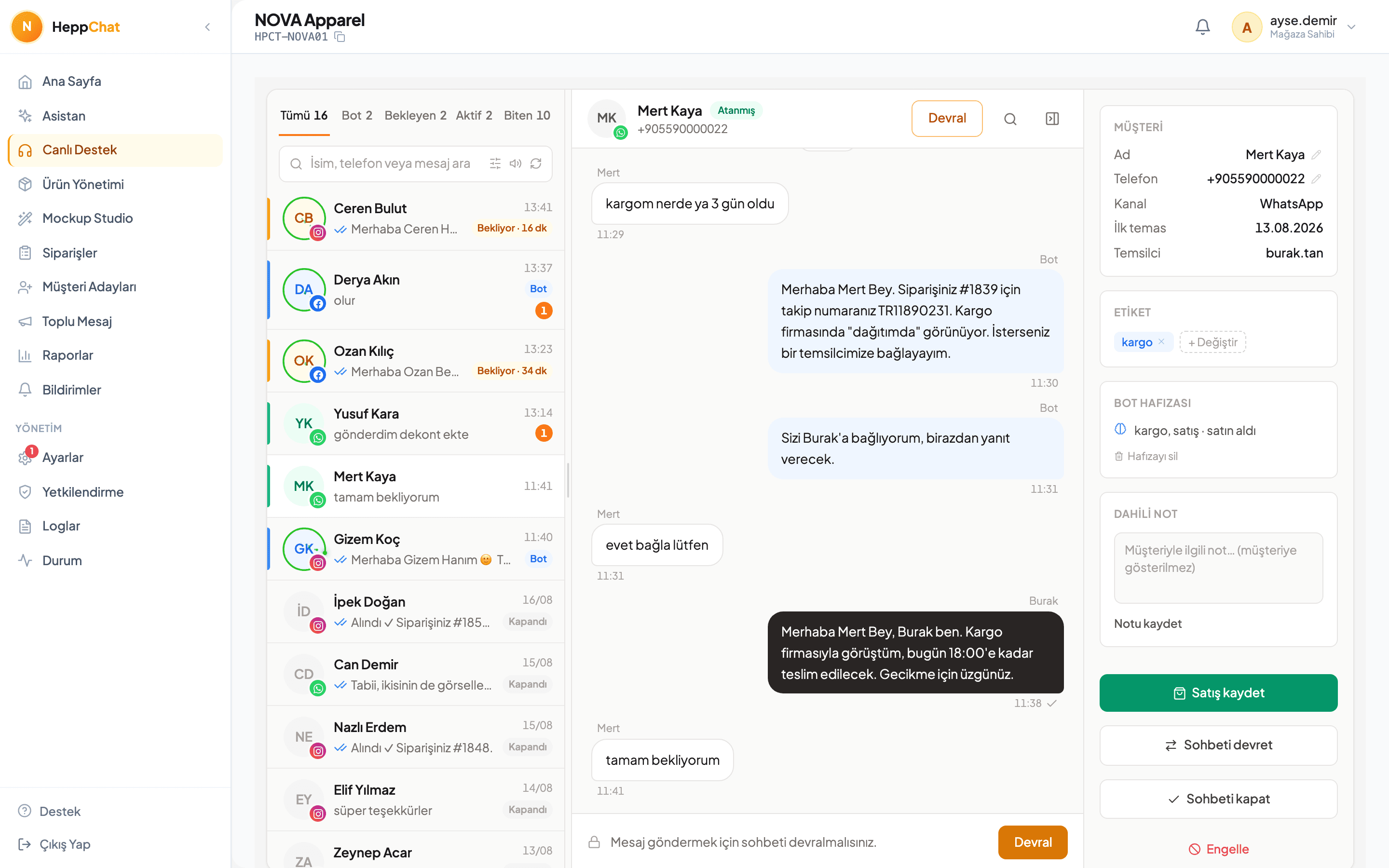
Finds the product in your catalogue and shows it
“Do you have it in black, size M?” The bot checks your catalogue, finds the product and sends its photo and price. It never describes a product you don't stock as if you did.
- Product search and detail
- Sends photos
- Understands voice notes too
02
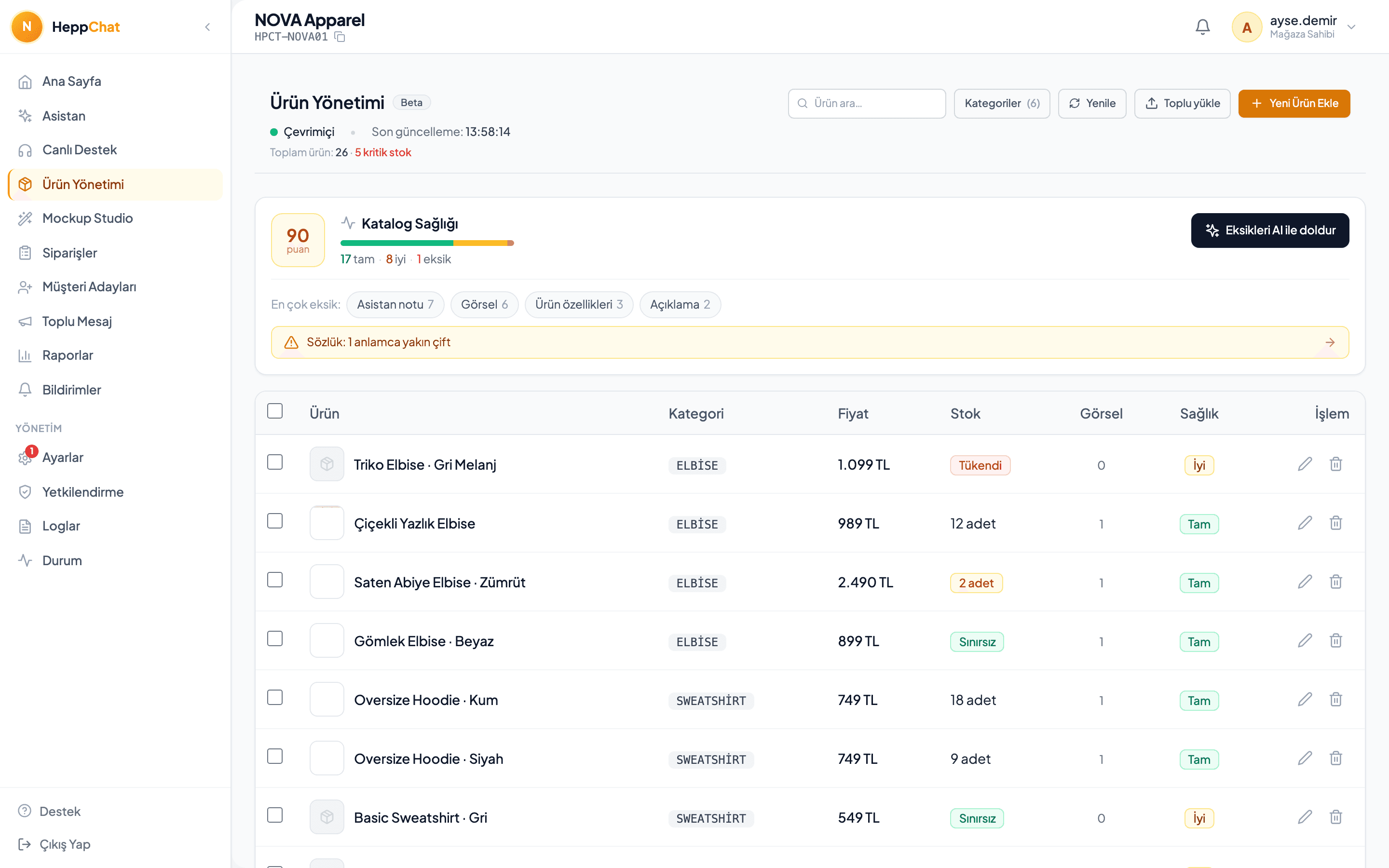
Connects their words to your products
The customer types “jumper”; your catalogue says “knitwear”. A synonym dictionary specific to your store connects the two. Suggestions appear in the panel and you approve them before they go live.
- Store-specific synonyms
- Category structure
- AI drafts, a human approves
03
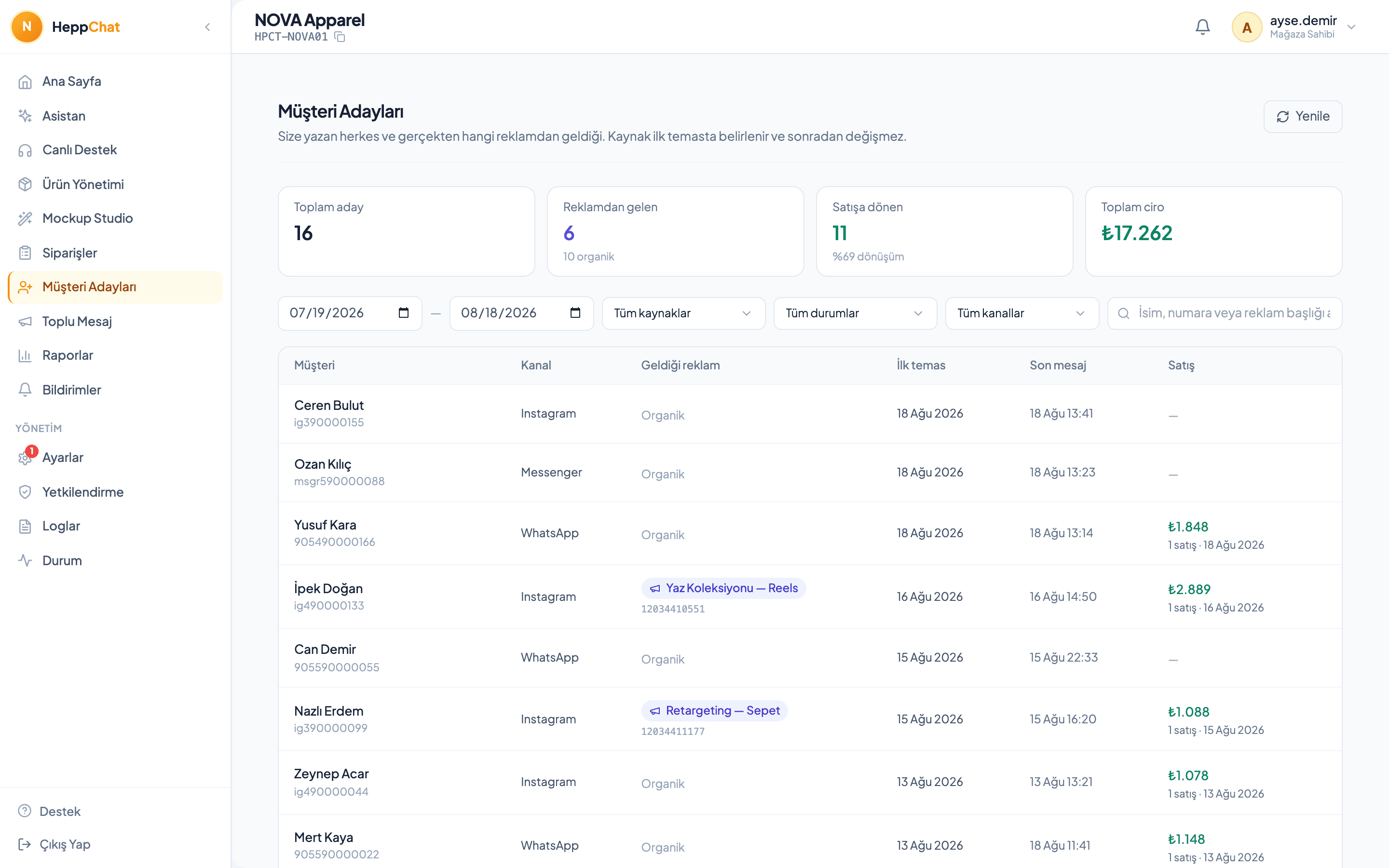
Shows which ad actually brought money in
A customer arriving from an ad is recognised, and when they buy, the revenue is credited to that ad — including someone who clicked two months ago and bought today.
- Ad → sale attribution
- Order records and Excel
- Day-and-hour heatmap
Which shops
You pick your sector and the bot is framed around it. Supported in retail today:
- Fashion
- Footwear
- Accessories and jewellery
- Cosmetics
- Home textiles
- Sports and outdoor
- Kids
- Electronics
- Workwear
- Food
Marketplace
Extend HeppChat to fit your business
Mockup Studio
Place the design on the product, pick the background, save the result. Store a setup you like as a preset and reuse it for every new product.
In-panel assistant
“Why did sales drop this week?”, “write a description for this product” — the assistant answers from your store's own data. It can also run in a general mode with no store context at all.
Bulk messaging and campaigns
Send campaigns to a target audience with approved templates and track opens and conversions in the report. Customers without consent are never messaged.
The five questions buyers ask
- Does the number stay mine?
- Yes. The WhatsApp Business account connects to your own Meta account; we work on top of it as a Meta-verified Tech Provider. If you leave, the number stays with you — that's the difference from QR-scanning workarounds.
- Do I have to enter my products one by one?
- No, we handle setup. We prepare your catalogue with you, build the category and synonym dictionary, and test together that the bot understands your store correctly.
- What if the bot quotes the wrong price or stock?
- The bot reads price and stock from your catalogue; it doesn't invent them. You define forbidden areas, every generated reply passes a quality check before sending, and you can switch automation off at any time. Where it isn't sure it hands over instead of guessing.
- Can the whole team use it?
- Yes. Every staff member signs in with their own account and permissions are role-based. Who took a conversation and who closed it is all logged. The number of agents depends on your plan; there is no separate per-agent fee.
- What happens to my data if I leave?
- You can export your sales records to Excel at any time. If you disconnect a channel, that channel's data stays recoverable for 30 days and is then permanently deleted.
- How does the WhatsApp order system work?
- The customer asks about a product on WhatsApp; HeppChat answers with price, stock and size from your catalogue, collects what the order needs and records it in the panel. Your team confirms and tracks the order from one screen.
- What do I need to open a WhatsApp order line?
- A WhatsApp Business number and your product catalogue. We connect the number to HeppChat through the official WhatsApp Business Platform and prepare the catalogue together; your existing number keeps working on your phone. Orders from Instagram and Messenger land in the same panel.
- Can I take payments in the chat?
- Yes. You send the payment link inside the chat; the customer pays without leaving the conversation. No IBAN messages, no waiting for receipts. You see the payment on the related order.
- How does shipping tracking work?
- When you close the sale you open the shipping record from the same screen; the tracking number is written to the order and sent to the customer. You enter your carrier details once. HeppChat does not poll the carrier by itself; you enter the tracking number.
Let's prepare your catalogue together
We connect your number, tune the bot's tone to your store and watch the first conversations with you.