Features
Everything behind the conversation
HeppChat isn't an inbox. Behind the layer that talks to your customer sit your catalogue, your orders, your team and your reports. Everything below works today.
01
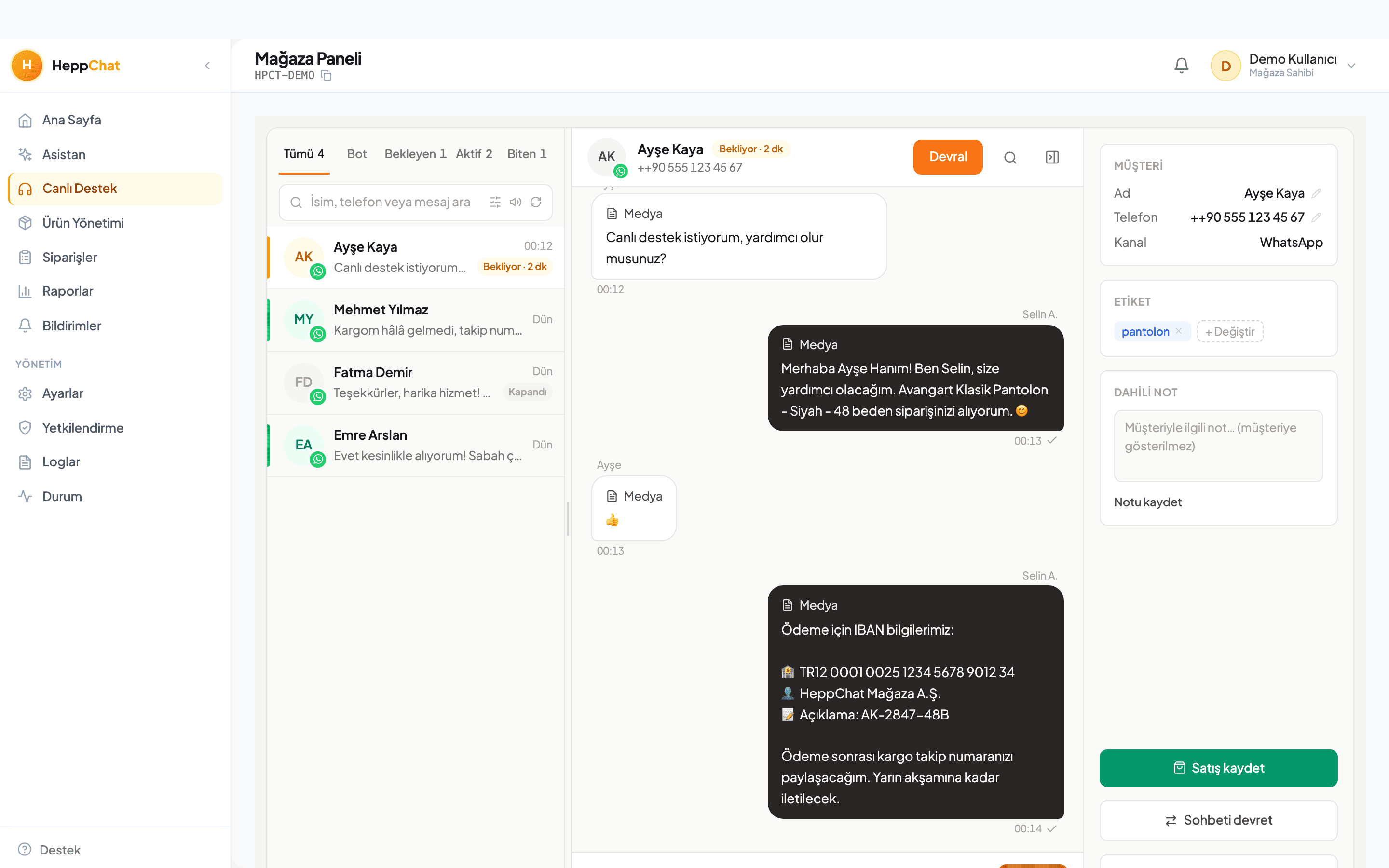
Conversations that sell
The customer writes; the product is found, the question answered, and your team steps in when needed.
Open even when you're closed
A message at 23:47 doesn't wait until morning.
The bot knows your catalogue, prices and policies. It doesn't invent — it says when it doesn't know, and hands over to you when needed.
Finds the product and shows it
“Do you have it in black, size M?” — the bot checks the catalogue and sends the photo.
Product search, detail lookup and media sending are tools the bot holds. The product is chosen without leaving the chat.
Understands voice notes too
If the customer would rather talk than type, the bot still understands.
Incoming audio is transcribed and handled like any other message. The customer isn't asked to behave differently.
Hands over to a human when stuck
At handover, the customer never has to start over.
When the bot falls short or the customer asks for a person, the conversation moves to an agent. The summary and context arrive ready, and the bot goes quiet.
Suggests replies to your agent
The reply is ready before your agent starts typing.
It reads the whole conversation and drafts a suggestion. The agent approves, edits or ignores it — the decision stays human.
Handles three questions in one message
“How much, how fast is shipping, do you have my size?” — all three get answered.
Multiple questions in one message are parsed apart. Context-dependent short replies like “ok” or “the second one” are resolved correctly.
Speaks in your voice
You set the bot's tone and its limits.
Tone is configurable, forbidden areas are defined, and every generated reply passes a quality check before it goes out. You can switch automation off at any time.
Knows your line of business
From fashion to food, pharmacy to restaurant — the bot speaks your sector's language.
Fashion, footwear, accessories, cosmetics, electronics, home textiles, sports, kids, food, restaurants and cafés, pharmacies, hardware, auto service, salons, clinics, education… You pick your sector and the bot is framed around it.
02
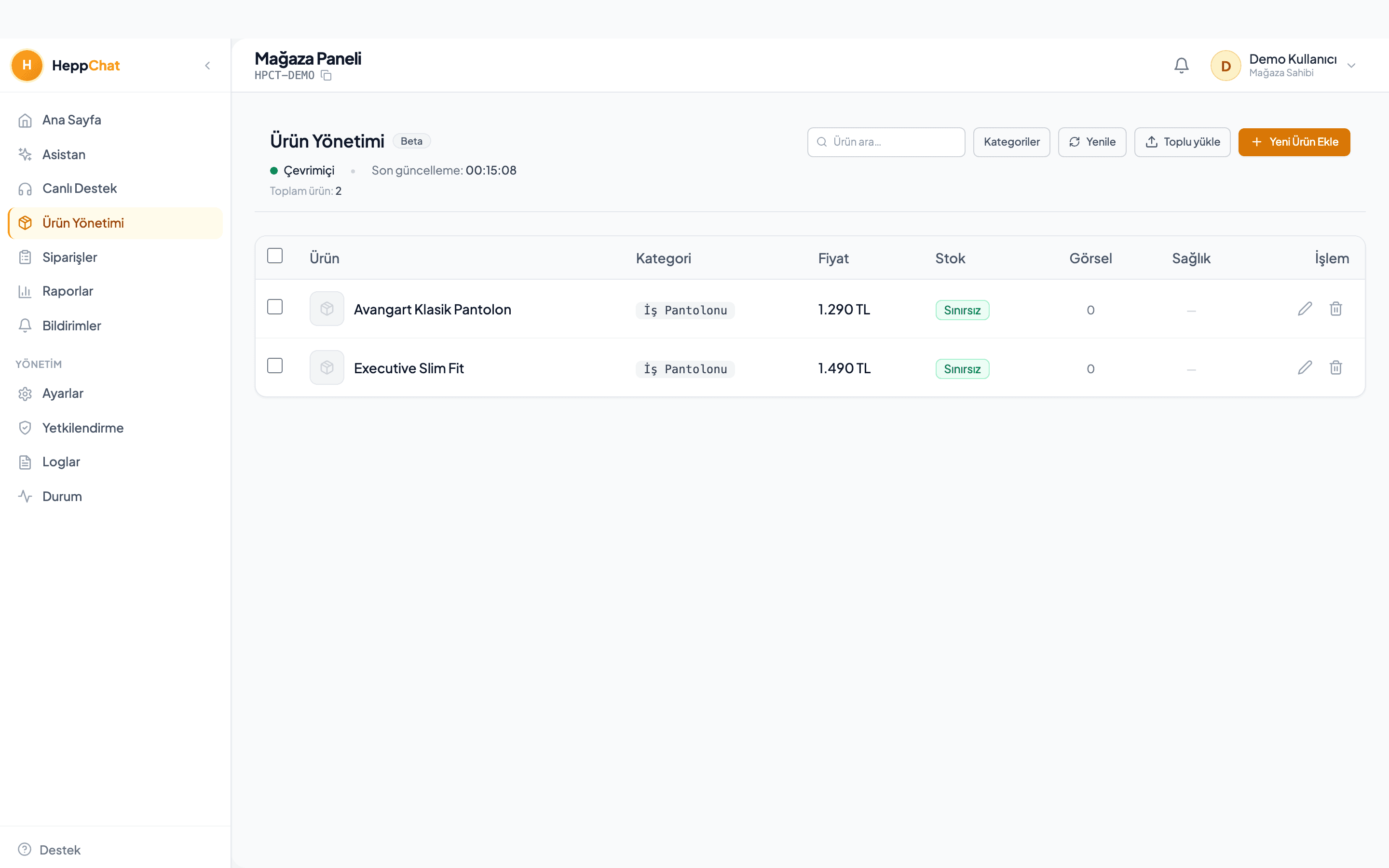
A catalogue that understands
The layer that turns your products into something the bot can reason about.
Maps your customer's words to your products
The customer says “jumper”, your catalogue says “knitwear” — the bot connects them.
The category and synonym dictionary is specific to your store. Suggestions appear in the panel for you to approve — the bot never edits the catalogue on its own.
Cleans up your catalogue
A gap in product data is a wrong answer waiting to happen.
Missing fields, clashing categories and empty descriptions are surfaced; AI drafts the fix and you approve it before it goes live.
03
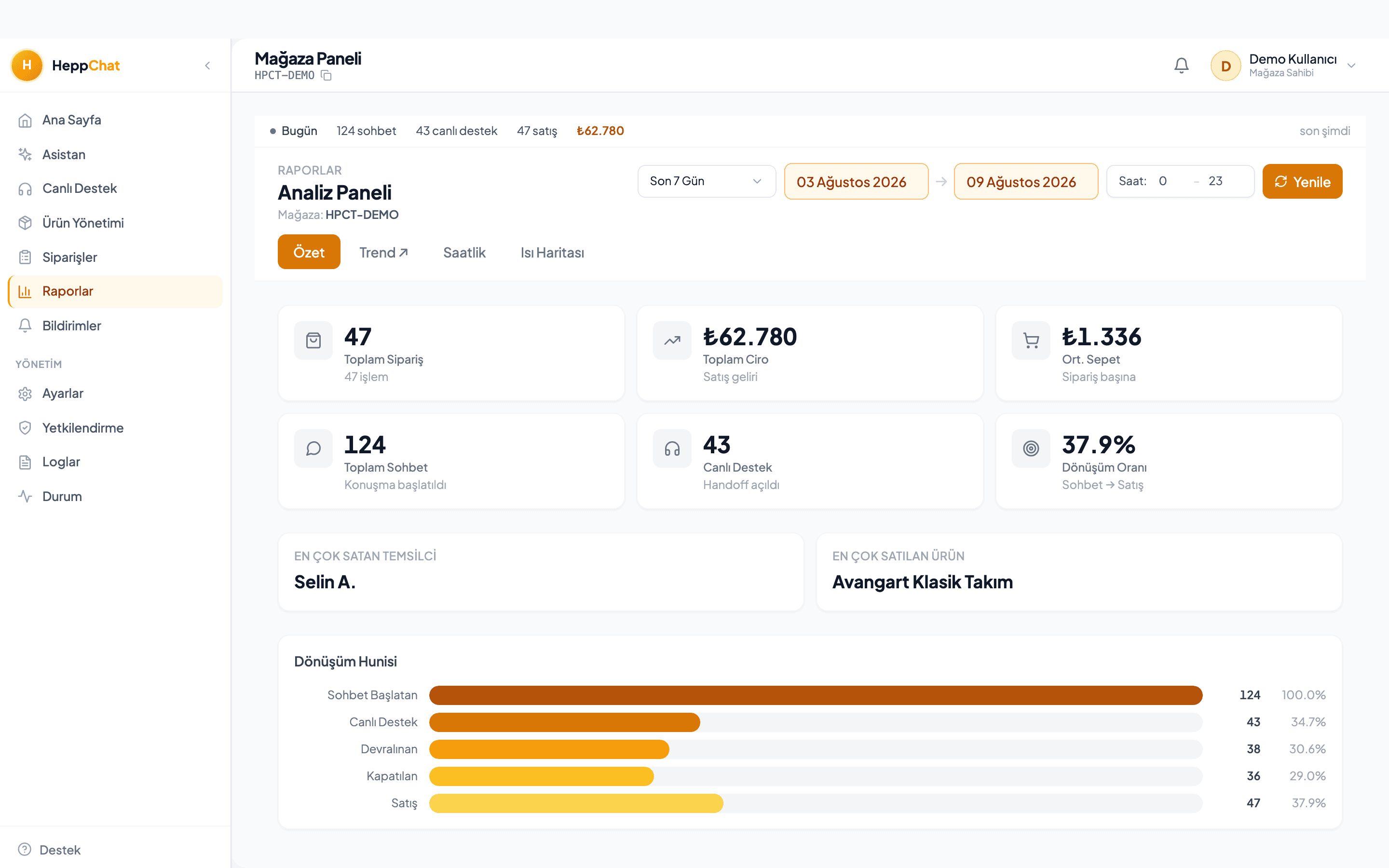
A panel that measures
Orders, reports, team and audit — the work behind the conversation.
In-panel assistant
An advisor that knows your store, inside the panel.
“Why did sales drop this week?”, “write a description for this product” — the assistant answers from your store's own data. It can also run in a general mode with no store context at all.
Order records
A sale that closes in chat becomes a record, and an Excel file.
When a conversation is closed, the sale and its line items are stored. One click exports them for your accountant.
Ad attribution
See which ad actually brought in revenue.
A customer arriving from an ad is recognised and their purchase is credited to it. Someone who clicked two months ago and buys today still counts — the date window doesn't cut off the revenue.
Reports
When you're busy, which question keeps repeating, what the bot costs.
Volume, resolution rate and response time; a day-and-hour heatmap; what the AI did and what it cost this month.
Team and permissions
You decide who can see what.
Staff sign in with their own accounts and permissions are role-based. Who took which conversation and who closed what is all in the audit log.
Mobile app
Take over a conversation even when you're not in the shop.
The iOS and Android app pushes a notification when a customer is waiting; you take over, reply and close from there.
Appointments
Let the bot take the booking and put it on your calendar.
The customer asks “are you free tomorrow afternoon?”; the bot shows open slots, books the chosen one and sends the reminder. Built for salons, clinics, auto services and course providers that run on appointments.
Bulk messaging and campaigns
Announce the new collection to opted-in customers in one go.
Send campaigns to a target audience with approved templates and track delivery, reads and replies on the same screen. Customers without consent are never messaged.
Shipping integration
Create the shipment record from the order, in the panel.
When you close a sale, the shipment is created from the same screen and the tracking number is attached to the order. You enter your carrier's credentials once.
Payment links
Send the payment link inside the conversation.
The customer pays without leaving the chat, and you see the payment on the related order. No IBAN messages, no waiting for receipts.
04
Channels
Everywhere your customer reaches you, in the same inbox.
Official WhatsApp Business Platform
Your phone doesn't have to stay switched on.
We connect through Meta's official platform — that's the difference from QR-scanning, phone-tethered workarounds. Meta has approved us as a verified Tech Provider.
No per-message fee
When your customer writes to you, nobody charges you per message.
Meta doesn't charge for messages inside a customer-initiated conversation, and we don't charge per message either. Costs only arise if you start a bulk marketing send, and those are billed directly to your own Meta account.
Instagram DM
Instagram messages land in the same inbox.
Story replies and DMs collect in the same place as WhatsApp; the same bot answers and the same team takes over. The customer gets a reply on whichever channel they used.
Facebook Messenger
Messenger messages to your Page, in the same panel.
Connect your Facebook Page and Messenger conversations flow alongside WhatsApp and Instagram. No separate screen, password or phone per channel.
Your number stays yours
Use the same number on your phone and in the panel.
You don't hand your number over to us. The WhatsApp Business app on your phone keeps working while the panel sees the same line — no need to announce a new number to your customers.
Frequently asked
- How is the WhatsApp Business API integration done?
- You connect your number in a few minutes through Meta's Embedded Signup flow; HeppChat is a Meta-verified Tech Provider. Your existing number keeps working in the WhatsApp Business app on your phone.
- Does it auto-reply to Instagram and Messenger messages?
- Yes. Instagram DM and Facebook Messenger connect to the same inbox; the AI assistant answers on all three channels with the same knowledge and tone, and hands over to your team when needed.
- Is HeppChat a WhatsApp CRM?
- It keeps customer, order and appointment records in one panel; every customer's history lives in a single profile. With the bot-free CRM plans it also works as just an inbox and record book.
- What happens if the AI gives wrong information?
- The bot reads price and stock from your catalogue and never invents them; you define the off-limits topics and it hands over to your team when unsure. You can switch automation off at any time.
- What if the feature I need is not in HeppChat?
- Two ways. From the Marketplace you buy add-ons such as Mockup Studio or the in-panel assistant once; they switch on instantly and you never pay for what you do not use. If a feature does not exist yet, you post it on the Ideas board; other users vote, the most wanted ships first and its status is visible on the board.
Seeing it in the panel is fastest
We'll open your account, connect your number and prepare your catalogue with you.